
Object Creation
Objects are the fundamental storage units in RustFS, containing data, metadata, and a unique key. This guide covers object creation (upload).
For concepts related to Objects, see Core Concepts.
Creating Objects
Prerequisites:
- A running RustFS instance (see Installation Guide).
Create a bucket, then upload files to it.
Using the RustFS UI
- Log in to the RustFS Console.
- Select the target bucket.
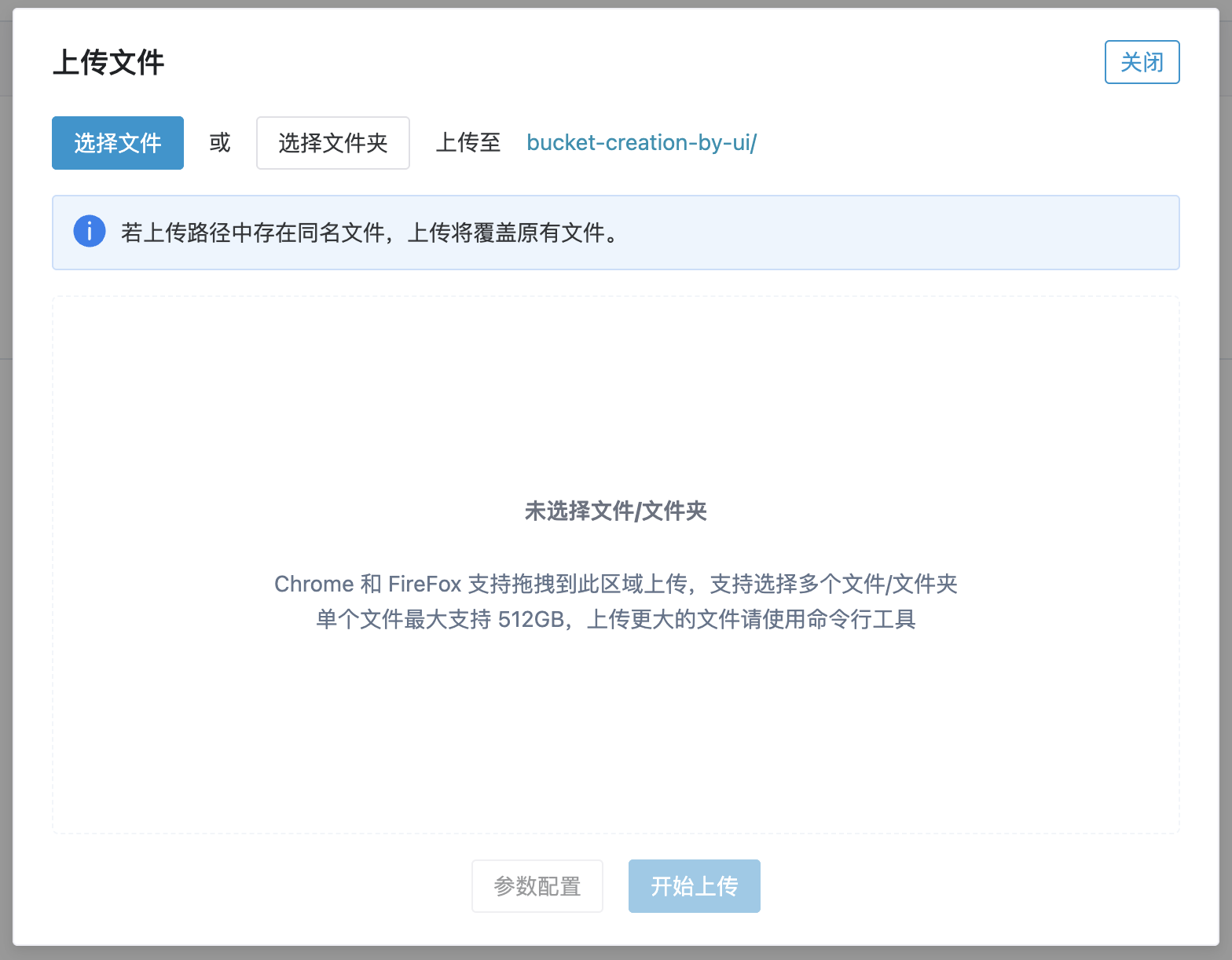
- On the bucket page, in the top right corner, select New Directory, New File, or Upload File/Folder.
- To upload from your local machine, click Upload File/Folder, select the files, and click Start Upload.
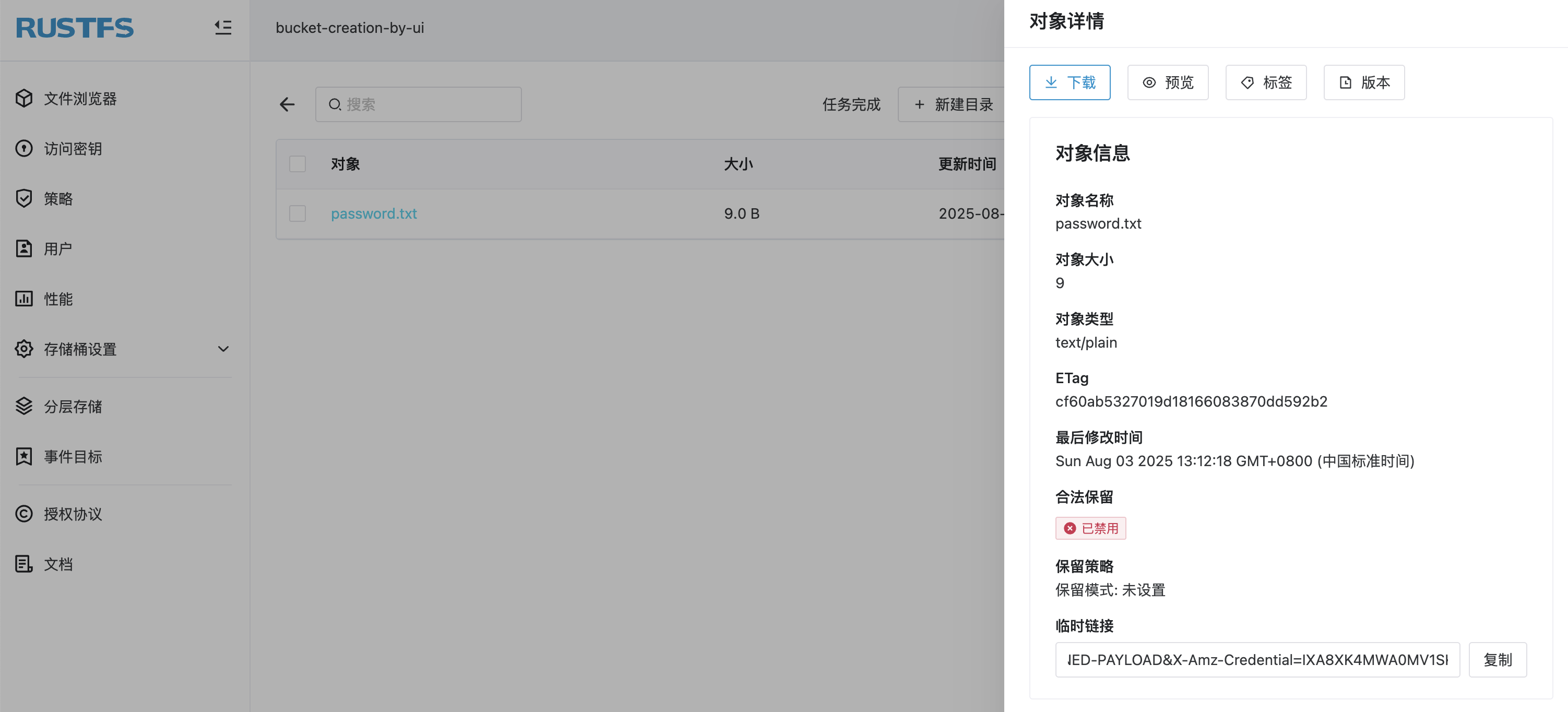
Click on an object to view its details.
Using mc
See the
mcUsage Guide for installation and configuration.
Upload a file:
bash
# upload file
mc cp 1.txt rustfs/bucket-creation-by-mc
/tmp/1.txt:            13 B / 13 B  ▓▓▓▓▓▓▓▓▓▓▓▓▓▓▓▓▓▓▓▓▓▓▓▓▓▓▓▓▓▓▓▓▓▓▓▓▓▓▓  61 B/s 0s%

# confirm file uploaded
mc ls rustfs/bucket-creation-by-mc
[2025-08-01 10:01:08 CST]    13B 1.txt
Verify the upload in the RustFS Console.
Using the API
Upload a file via API:
PUT /{bucketName}/{objectName} HTTP/1.1Request example:
bash
curl --location --request PUT 'http://12.34.56.78:9000/bucket-creation-by-api/password.txt' \
--header 'Content-Type: text/plain' \
--header 'X-Amz-Content-Sha256: e3b0c44298fc1c149afbf4c8996fb92427ae41e4649b934ca495991b7852b855' \
--header 'X-Amz-Date: 20250801T024840Z' \
--header 'Authorization: AWS4-HMAC-SHA256 Credential=H4xcBZKQfvJjEnk3zp1N/20250801/cn-east-1/s3/aws4_request, SignedHeaders=content-length;content-type;host;x-amz-content-sha256;x-amz-date, Signature=b7d8dc29ee34dfdf1f3e9e8e069892a8936f478586e7a2c90cf34f5b86d3a2dc' \
--data-binary '@/path/to/password.txt'
Verify the upload in the RustFS Console.
Deleting Objects
See Object Deletion.
Use the following API for file deletion:
DELETE /{bucketName}/{objectName} HTTP/1.1Request example:
bash
curl --location --request DELETE 'http://12.34.56.78:9000/bucket-creation-by-api/password.txt' \
--header 'Content-Type: text/plain' \
--header 'X-Amz-Content-Sha256: e3b0c44298fc1c149afbf4c8996fb92427ae41e4649b934ca495991b7852b855' \
--header 'X-Amz-Date: 20250801T030822Z' \
--header 'Authorization: AWS4-HMAC-SHA256 Credential=H4xcBZKQfvJjEnk3zp1N/20250801/cn-east-1/s3/aws4_request, SignedHeaders=content-length;content-type;host;x-amz-content-sha256;x-amz-date, Signature=1ee63bb0b699598602b2fdbd013e355a57bcb9991307a8ad41f6512e8afebf3a' \
--data-binary '@/Users/jhma/Desktop/password.txt'
You can confirm the file has been deleted on the RustFS UI.